Mounting cnt-fs
Shared with the CNT
This procedure runs on infrastructure the lab and the CNT operate together. The CNT manual keeps its own copy; changes to the shared steps are agreed with the CNT.
What this page tells you
In the VDI, open File Explorer and click CNT under This PC. If missing, map network drive Z: to \pmacs.upenn.edu\depts\NE-4322-Neurology\CNT (or \172.16.50.149\CNT) using different credentials, username pmacs\pennkey.
Mount cnt-fs in the VDI whenever the CNT share is not already visible in File Explorer.
- Log into the VDI.
- Open File Explorer.
- Go to “This PC”.
- The CNT server should be listed there.
- Click on CNT.
- If CNT is not listed, remount it:
- Right-click on Network.
- Select “Map Network Drive”.
- In Drive, select Z:.
- In Folder, type one of these paths:
\\pmacs.upenn.edu\depts\NE-4322-Neurology\CNT
or
\\172.16.50.149\CNT - Check "Connect using different credentials".
- Click Finish.
- When the login prompt appears, enter your PMACS login:
- If the Domain field does not say pmacs, enter your username as
pmacs\<pennkey>. - In the screenshot below, if the domain had not said PMACS, the username would have been entered as
pmacs\<pennkey>. 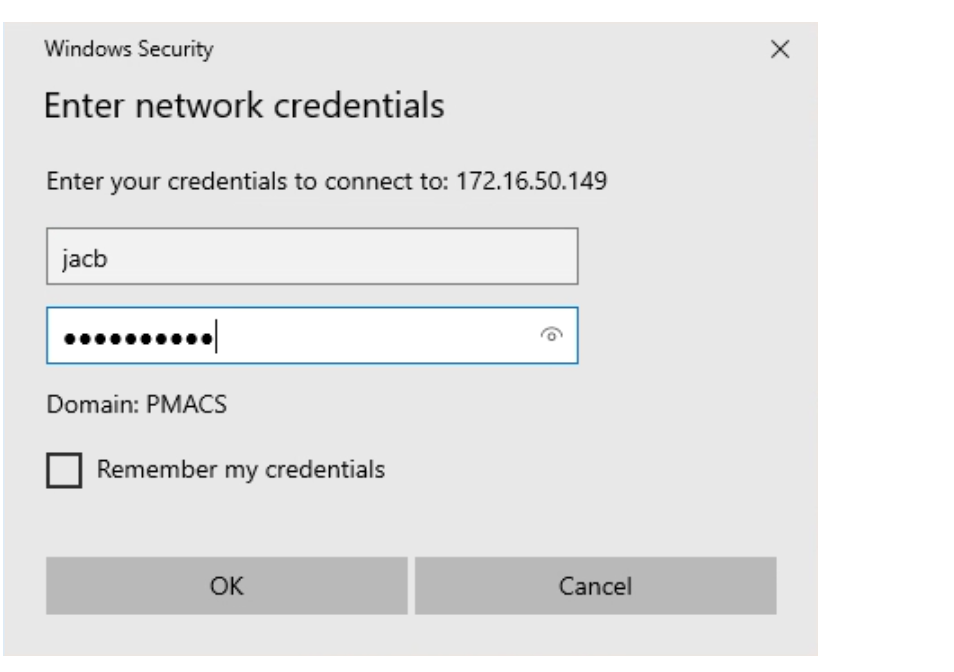
- If the Domain field does not say pmacs, enter your username as